
Which design is right for your business
Pick by what you want a visitor to DO — buy, book, enquire, read — and the right card, design and dashboard follow.
Watch0:528 min readUpdated 21 Oct 2026
In this guide
Start with one question, not with the pictures
Every design here is well made. What separates them is the job they do — and that job decides what appears in your dashboard afterwards. So before you scroll a gallery, answer this: when a customer lands on my website, what is the one thing I want them to do?
What should a visitor do on your website?
If two answers feel right, pick the one you will be paid for. A salon that also sells shampoo is a booking business first — the shampoo is a switch you turn on later, not a different website.
The cards you meet — and what each one turns on
Tap Create Website (the Create tab on a phone) and the first screen — marked Step 1 of 3, What do you want to build? — is not a gallery of designs: it is a set of type cards. The card you pick decides which designs you are shown, and more importantly which tools appear in your dashboard for the life of that website.
| Card | Your customers | What your dashboard gets |
|---|---|---|
| E-commerce | Add to cart, pay online or on delivery | Orders, Products, Customers, Shipping, Coupons, Loyalty, Books & Tax |
| Restaurant & Food | Order delivery, takeaway or from the table QR | Orders, Menu & Dishes, Customers, Coupons, plus Restaurant, Billing Counter, Kitchen, Tables & QR, Restaurant Insights, Reservations and Delivery fee & area |
| Business Website | Book an appointment, send an enquiry, call, WhatsApp | Bookings and Form Inbox instead of Orders and Products |
| Catalogue + WhatsApp | Browse your range and send a WhatsApp enquiry | Products, Categories, WhatsApp Enquiry, Form Inbox (and Daily Rates on the jewellery design) — deliberately no cart, no checkout |
| News & Media | Read stories, buy a reader pass | The News Desk — stories, web stories, sections, authors, comments, e-paper, sponsors, subscribers |
| Automotive | Browse cars, book a test drive, sell you their car | Cars, Car Orders, Test Drives and Car Leads (buyers and sellers kept apart) |
| Financial Services | Apply for a loan with documents | The Loan Desk, loan forms, a partner portal and payouts |
| Landing Page | Read one offer and fill one form | Form Inbox — nothing else to distract you |
| Portfolio | Look at your work and get in touch | Bookings and Form Inbox |
| Blank canvas — all-in-one | Whatever you build | Everything, behind switches you turn on one at a time |
There is an eleventh card, Ticket Booking, marked coming soon — it holds no designs yet. If you sell tickets today, a Business Website with bookings and advance payments does the job.
Five designs that live under a card you would not guess
A few designs are filed by the kind of business they serve rather than the kind of engine they run. They are easy to miss, so they are worth naming plainly.
| Looking for | It is under | Find it by |
|---|---|---|
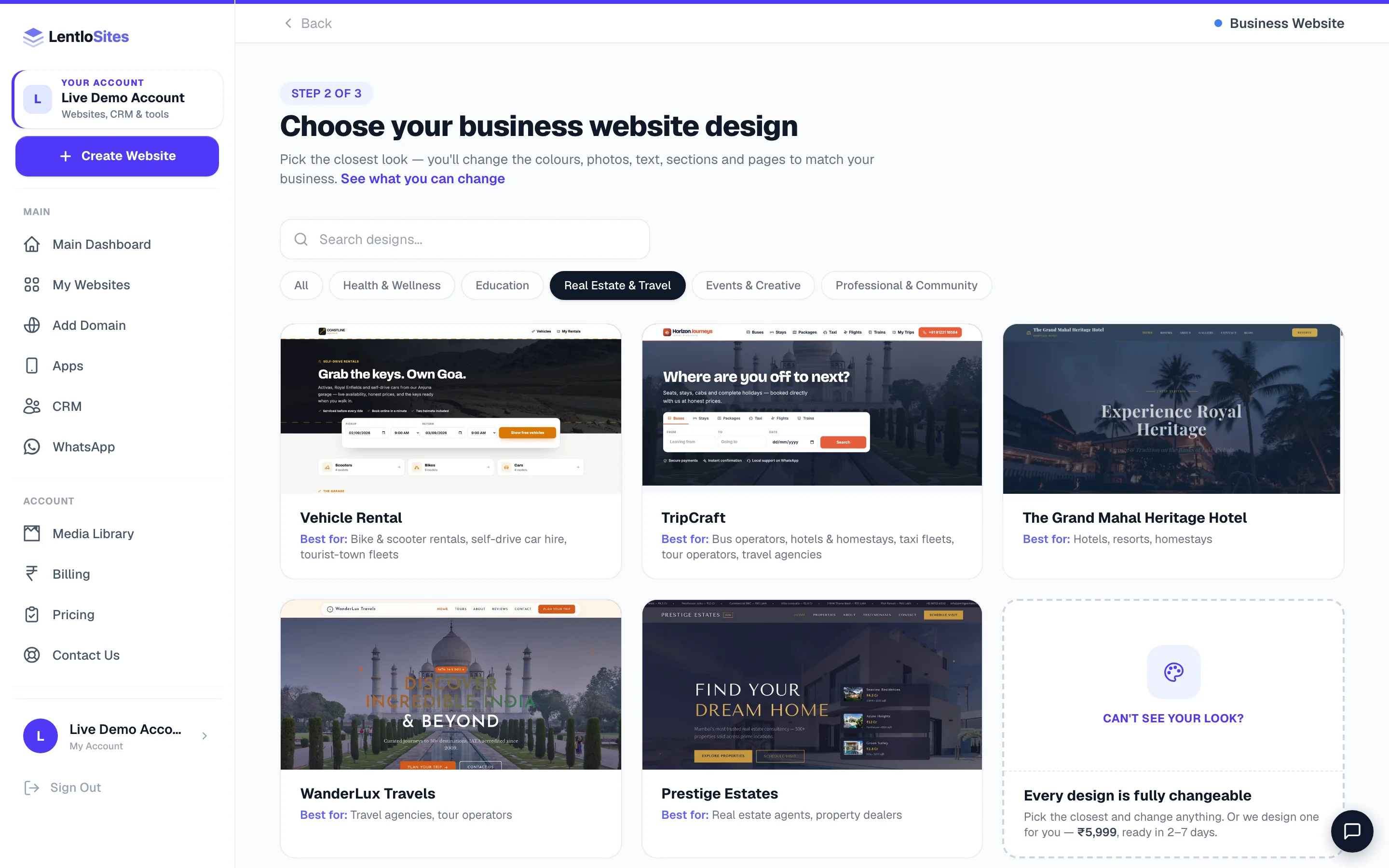
| Travel booking (buses, stays, taxis, packages) | Business Website | the Real Estate & Travel pill, or type bus in the search box |
| Vehicle rental (scooters, bikes, self-drive cars) | Business Website | the same pill, or type rental |
| Auctions (auction house, scrap & salvage yard) | E-commerce | type auction |
| Astrology (free kundli tools, consultations) | Business Website | the Professional & Community pill, or type kundli |
| Welding and fabrication (gates, grills, roofing, sheds) | Business Website | the same pill, or type welding |
The search box only searches inside the card you have already opened. Typing “auction” on the type screen finds nothing; open E-commerce first, then search. It matches the design's name, description, who it is best for and its keywords.
Design, preset, or blank canvas?
Inside a card you will see two kinds of card, and the type screen itself carries a third option. They are genuinely different starting points, not three words for the same thing.
A ready-made design
- A finished website for a trade — pages, sections and copy already written for it.
- Its own look and its own special sections (a rate board, a seat map, a fee table).
- Fastest route to live. Change every word, photo and colour afterwards.
A preset (built on the canvas)
- Also a finished website — but every page is a stack of blocks you can pull apart, reorder or delete.
- Its header and footer arrive as blocks too, looking exactly like the design until you change them.
- Choose this when you know you will want to rebuild pages your own way.
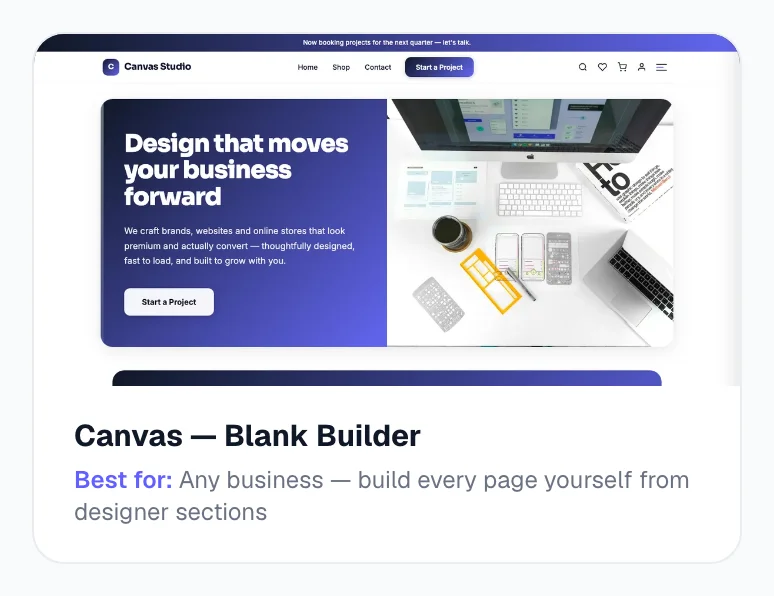
The third option, Blank canvas — all-in-one, is one of the cards on the type screen (it reads Start from blank where the others show a design count) and is not a design at all: an empty Home and Contact page with every capability behind a switch. Selling and bookings start off, enquiries and posts start on. Pick it when nothing in the gallery is close to your business — see Start from a blank canvas.
Find your business in this list
Each of these has its own guide with the designs that fit, what to keep ready, and the first five things to set up.
| If you run… | Read |
|---|---|
| Salon, spa, clinic, dentist, home nursing and elder care, gym, photographer, wedding or event planner, home services, welding and fabrication workshop, auto garage, freelancer, agency, architect, interior designer, CA firm, NGO | Build a services website |
| Coaching class, entrance-exam coaching, tuition centre, school or college | Build an education website |
| Restaurant, café, bakery, sweet shop, catering or tiffin service | Build a food business website |
| Kirana, grocery, boutique, jewellery, electronics, pet shop, décor — anything you sell online | Build an online shop |
| Licensed pharmacy or medical store — prescriptions checked before anything is sent | Pharmacy websites |
| Property dealer, used-car showroom, rental fleet, auto parts | Build a property or vehicle website |
| Group company, corporate profile, portfolio, one-page ad campaign | Build a professional or corporate website |
| Jeweller, tool or machinery dealer, distributor — show the range, talk on WhatsApp | Catalogue websites |
| Local newspaper, magazine or news portal | News websites |
| Bus operator, homestay, taxi fleet, tour operator | Travel booking websites |
| Scooter, bike or self-drive car rental | Vehicle rental websites |
| Loan agent, DSA, insurance advisor | Finance websites |
| Auction house, scrap yard, surplus or salvage dealer | Auctions |
| Astrologer, jyotishi, vastu consultant | Astrology websites |
What the design decides — and what it does not
This is where most first-time worry sits, so it is worth being blunt about which choices are permanent and which are not.
The design decides
- How your website looks, and which sections it starts with.
- Which tools appear in your dashboard (orders vs bookings vs a news desk).
- Which special features exist at all — a rate board, a seat map, a bid clock.
The design does not decide
- Your plan or your fees — every plan has every feature; see Billing & plans.
- Your web address — a custom domain is free on every plan, on every design.
- Your colours, fonts, words, photos, pages or menus. All of it is yours to change.
Example · Meera, a beauty salon in Coimbatore
Meera almost picked an E-commerce design because she also sells three shampoos. She picked the salon preset instead — bookings, service prices, a before-and-after slider — and later switched Sell products online on in Settings → Appearance → What this website does. Same website, same address, and the three shampoos now sit in a shop page she added in an afternoon. Had she started the other way round, she would have spent that afternoon making a shop look like a salon.
Before you press “Use this design”
Open the live demo, on your phone
Tap a design card and then the preview picture (or View Live Demo) — a full working demo opens in a new tab. Tap around it the way a customer would. Most of your visitors will be on a phone, so look at it on one.
Read the “Best for” line, not the photos
Every card carries a plain Best for: line saying who the design is for. The photos are samples that you will replace on day one; the line describes what the design is actually built to do.
Know that switching designs later is not a button
You can change every word, colour, photo, section and page afterwards — but you cannot swap the whole design for a different one with a switch. If you change your mind, create a fresh website with the other design (that costs nothing) and move on.
Nothing fits? Ask
At the end of every gallery is a Can't see your look? card (the See what you can change link above the grid opens the same thing). It first shows everything a design lets you change — colours and fonts, logo and photos, every word, sections, pages, products and prices — then three ways to get your website: Customise a ready design (free), Start from a blank canvas (free), and We design it for you (an optional paid service). Most owners find the closest design, customised, is exactly what they wanted. If you still want it built for you: ₹5,999 one-time, ready in 2–7 days, 2 free revisions, editable by you afterwards. Nothing is charged when you send the request — you describe your industry and what the website should do, then confirm on WhatsApp, and our team replies with the plan and a payment link. If an agency set up your website you see Ask your website providerinstead, and the request goes to them.
Do this
- Choose by what visitors should do, then look at the pictures
- Open the live demo on a phone before you commit
- Pick the design for the business you run today, not the one you might run in two years
- Use the search box inside a card — it reads the design's keywords, not just its name
Not this
- Pick a store design because you might sell something one day — turn selling on later instead
- Judge a design by its sample photos and sample text; every word of it is replaced
- Assume a fancier design costs more — every design is on every plan, including Free
- Create five websites to compare them; preview the demos instead
Common questions
Is any design more expensive than another?
No. Every design is available on every plan, including Free, and a custom domain is free on all of them. What you pay depends on the kind of business the website is (a store pays a small per-sale fee on Free, a catalogue pays per enquiry, and so on) — never on which picture you picked. See Billing & plans.
Can I change the design later?
Not with a switch. You can change everything inside your design — text, photos, colours, fonts, sections, pages, header and footer — and on most designs you can even replace the header and footer with your own blocks (Header, footer & site-wide blocks). To move to a different design you create a new website, which costs nothing.
I run two businesses. One website or two?
Two, on the same account. Each website keeps its own design, products, orders, customers, settings and domain, and you switch between them from My Websites. There is no extra account to make.
My trade is not in any list. What do I pick?
Answer the question at the top instead of looking for your trade. If people book you, a services design or preset fits. If they buy from you, a store fits. If they enquire, a catalogue or a landing page fits. If none of that is you, start from the blank canvas and build the website your business actually needs.
Does picking a design lock my dashboard forever?
The class does shape your dashboard — a news website has a News Desk, a rental fleet has a Rental Desk. But within a class, many capabilities are switches. On a preset or blank-canvas website, the What this website does card at the top of Settings → Appearance turns Sell products online, Take bookings and Write posts on or off (enquiries are always on). On a ready-made design the tools come with the design; a store has Bookings in its menu too, and the Blog section is a switch under What customers see.
More in Start here
Did this answer your question?
It takes one tap and it genuinely changes what we write next.