
Customer accounts — signing in, orders, addresses and balances
Customers sign in with their mobile number and a 4-digit code — the checkout asks for it before their first order. What they get, how long they stay signed in, and what you can see.
5 min readUpdated 21 Oct 2026
In this guide
How signing in works
- They type their mobileThe account icon, or when they open checkout
- A 4-digit code arrives by SMSResend after 30 seconds
- New? Their name, then emailEmail can be skipped
- Straight on to checkoutTheir cart is kept
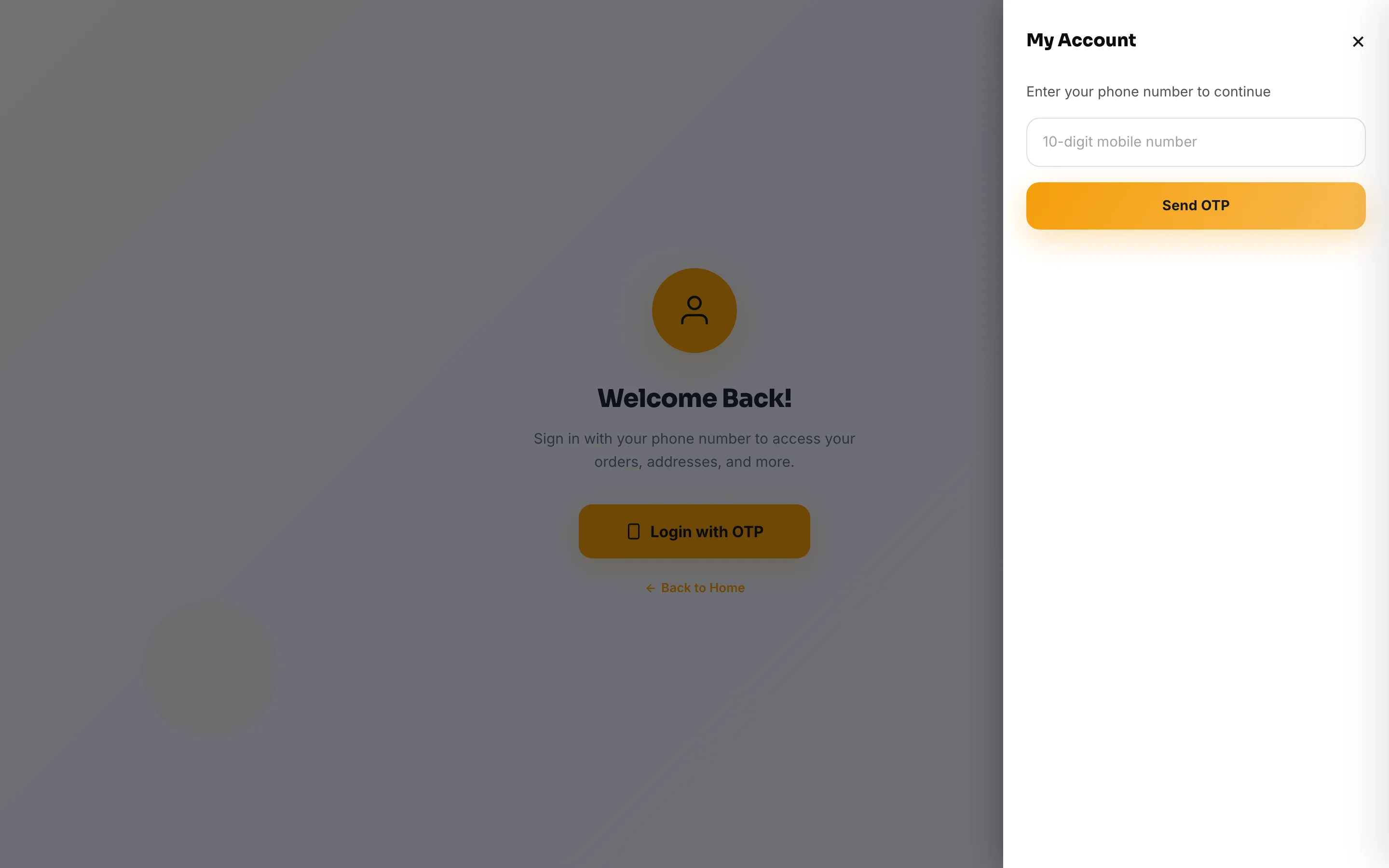
Where they sign in: the account icon in your header (the My Account page: Enter your phone number to continue → Send OTP → Verify OTP), or the checkout itself — a customer who is not signed in sees Enter your phone number before the checkout opens and types the code. A new customer is then asked What's your name?, and anyone with no email on file sees Add your email (optional — Skip for now); a returning customer goes straight on. Their cart stays safe the whole time. After that they stay signed in on that phone for 7 days; Logout on My Account signs them out.
There is no password to forget and none to reset, which is why almost nobody gets locked out. The phone number is the identity: the same number is the same customer, whether they ordered on your website, at your counter, or through a WhatsApp order you typed in.
What a signed-in customer can do
My Account has tabs — Order Again (once they have ordered), Bookings (when you take bookings), Orders, Invoices (when your shop raises invoices), Addresses and Profile — plus quick links to Track Order, My Wallet and Shop More. Rewards and the wishlist are pages of their own, and a My Library panel appears for customers who bought a digital plan.
| Where | What it holds |
|---|---|
| Orders tab | Every order they placed with that number, with its status and, on shipped parcels, where it has reached (“Your parcel is at …” and Track Your Package). Each past order has Reorder (while Order Again is on), and Subscribe where you run subscriptions. An order request shows its stage instead — Shop checking, Ready to pay with a See the final bill button, or Not accepted. There is no cancel button — a customer who wants to cancel contacts you |
| Profile tab | Their name and email, which they can change. The phone number is the account itself and stays as it is |
| Addresses tab | Saved delivery addresses — so a repeat order is two taps. Each address names who receives orders there (a name and 10-digit mobile — it can be someone else, like a parent's home) and can carry an alternate number (a second mobile or a landline with its STD code — never that same mobile again) for the delivery to try next. Where you ask for a delivery location, each address also keeps its own spot on the map; where the checkout shows the map (when you ask for a delivery location, or with a delivery fee by distance) they can add, move or remove that spot here |
| My Wallet page | Store credit they hold with you: top-ups, refunds you sent to wallet, and what they spent — when your customer wallet is on |
| Rewards page | Their points balance and history, if you run loyalty |
| Invoices tab | Their own tax invoices, to view or print — on stores that raise invoices |
| My Library on My Account | Files from a digital plan they bought, with the download limit shown, to download again any time. A single digital product downloads from its order instead — see digital products |
| Order Again tab | Their usual items, and a one-tap reorder of their last order — see Order Again |
| Wishlist page | Things they saved with the heart, opened from the heart icon in your header. The list lives in that browser, so a different phone starts a fresh one |
On the specialised websites the same account carries the equivalent: My Trips on a travel site, My Rentals on a rental site, My Bids where you run auctions, and a borrower portal on a finance site.
When signing in is required — and when it is not
Why the checkout asks for the code. A verified mobile number on every order means no fake or mistyped numbers, a phone your courier can actually reach, and a customer you can message about their order. It takes a few seconds, the cart stays safe while they do it, and they stay signed in on that phone for 7 days afterwards. Browsing never needs it. See also Members Only for a catalogue you close to approved buyers.
What you can see — and what you cannot
Everything a customer builds up appears on their page in your Customers list: their orders, spend, saved addresses, wallet ledger and points, plus Adjust points (with a note that is recorded). Credit their wallet from the Wallet page.
Do this
- Use the customer page when they call — “same as last time, to the office” is one search away
- Fix a wrong name on the order with Edit order — their next order, or their own Profile tab, updates the record
- Give staff customer access only if they need it — it is personal data
- Treat the phone number as the identity when matching people
Not this
- Asking a customer for their one-time code — you never need it, and nobody legitimate ever asks
- Sharing or exporting the customer list beyond your own business
- Merging two numbers into one person; each number is its own customer
- Telling customers to “create a password” — there is none; the code to their mobile is the sign-in
You cannot sign in as a customer, and you should never ask for their code. The code is what proves the person holding the phone is them. Anyone asking a customer for it — including someone claiming to be from your shop — is trying something.
Example · Kavitha, a bakery in Coimbatore
A customer rang: “the same cake as my daughter's birthday, to my office.” Kavitha searched the last four digits of the number, opened the customer, saw the March order and the office address already saved, and created the repeat order in under a minute — without asking the customer to repeat a thing.
Related
| You want to… | Read |
|---|---|
| Read and use your customer list | Your customer list |
| Let customers check an order without signing in | Track Order |
| Give customers store credit | Customer wallet |
| Reward repeat buying | Loyalty points |
| Approve who may even see your catalogue | Members Only |
| Show or hide account links | What customers see |
Common questions
Do customers have to create an account to buy?
There is no account to create — but yes, they verify their mobile number once. When a customer who is not signed in opens the checkout, it asks for their mobile number and the 4-digit code sent to it (and, the first time, their name). It takes a few seconds and their cart is kept. Browsing and filling a cart never need it.
A customer says they never get the code.
Ask them to check the 10-digit mobile number they typed, wait for the 30-second timer and tap Resend OTP, or Change Number if it was wrong. If it is a landline or an incomplete number, no code can arrive. If it still does not come, take the order on the phone as a manual order and ask for help from Help & Support in your dashboard.
The same person shows twice in my customer list.
They used two different numbers. Each number is treated as its own customer, because the number is the only thing that can be matched reliably. Keep the one they actually reply on.
Does a customer's wishlist follow them to another phone?
No. The saved list lives in the browser they saved it on, so the same person on a second phone starts with an empty wishlist. What signing in adds is on your side: your shop remembers who saved which product, so a price drop can reach them — see Search & wishlist.
Can I see what a customer has in their cart right now?
Not the live cart, but you do see the ones that were left behind at checkout with a phone number — that is Abandoned carts.
Can I delete a customer's account?
There is no delete button for a customer: their orders and invoices must stay for your GST records. If a customer asks you to remove their personal details, ask for help from Help & Support in your dashboard so it is handled properly, rather than deleting orders yourself.
More in Products & orders
Did this answer your question?
It takes one tap and it genuinely changes what we write next.