
Your customer list & repeat buyers
Everyone who ever ordered, their whole history, and the 'Running Low' list that quietly brings regulars back.
6 min readUpdated 10 Oct 2026
In this guide
Where the list comes from
You never type a customer in. The moment an order is placed — online, or one you enter yourself for a WhatsApp or walk-in sale — the phone number on that order becomes a customer record. Order again with the same number and it attaches to the same person instead of creating a new one.
- Order placedWebsite, WhatsApp or counter
- Customer createdMatched on the phone number
- History buildsOrders, spend, addresses, points
- You reach outWhatsApp, offers, reminders
The phone number is the identity. If a regular orders once from their husband’s number, that shows as a second customer — normal, and nothing to fix.
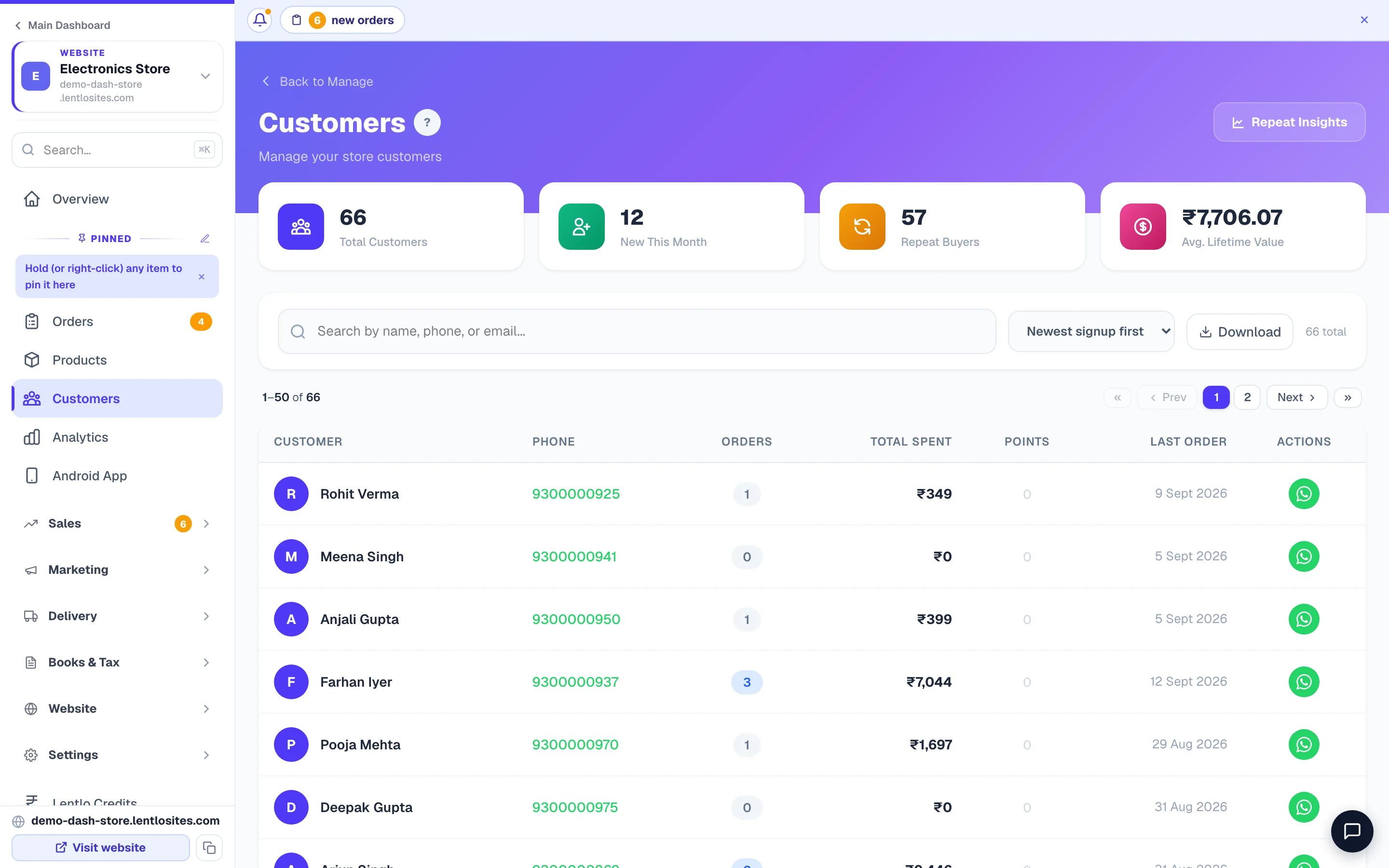
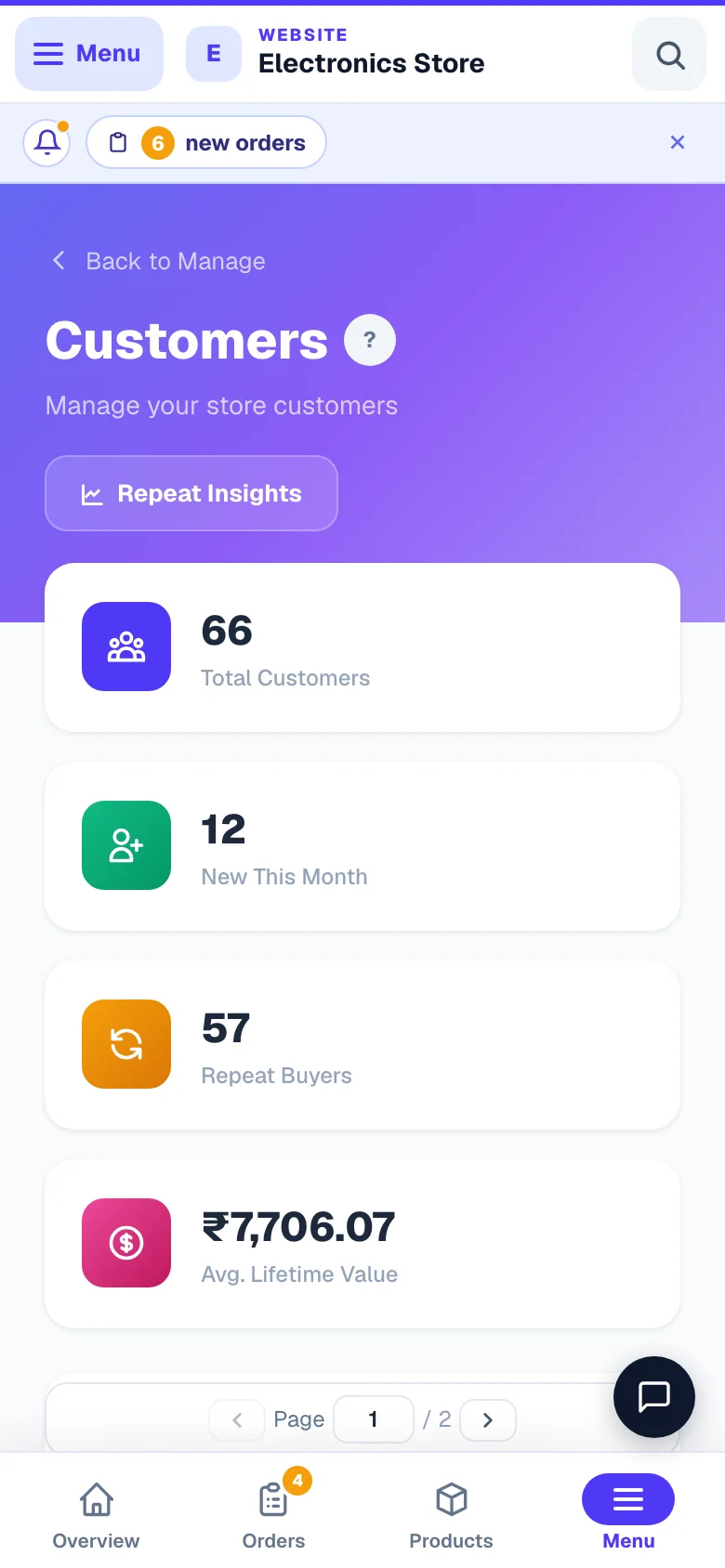
- 1Part of a number worksTyping 4321 finds 98765 43210 — no need for the full number.
- 2ExportDownload the whole list as a spreadsheet.
Reading the list
Open Customers from the sidebar. Each row is one person, newest buyer first.
- Customer — name, and the email if they gave one.
- Phone — the number they order from. This is what you WhatsApp.
- Orders — how many times they have bought.
- Total Spent — everything they have paid you, added up.
- Points — their loyalty balance, if you run a points programme.
- Last Order — the date they last bought. The most useful column on the page.
The search box matches a part of the name, phone or email, so typing 4321finds 98765 43210 without the full number. Download gives you the whole list as a spreadsheet.
Sort your thinking by Total Spent and Last Order together. A customer who spent ₹40,000 and last ordered five months ago is worth a personal call — not a bulk message.
Opening one customer
Tap any row. The customer page pulls everything about that person onto one screen:
- A status badge — New, Active, Running Low or Churned (explained below).
- Order History — their most recent 30 orders, with what was in each and what it came to.
- Frequently Bought — the items this customer orders most often, so you know what to offer first.
- Saved delivery addresses — useful when they ring up and say “same place as last time”. Each one names who receives orders there (a parent's home under the parent's name and mobile, say) and may carry an alternate number — a second mobile or a landline with its STD code, never the same number again. An address with a saved delivery location shows a link to open that spot in Maps.
- Loyalty points, with an Adjust points control to add or remove points by hand. You must write a short reason, and it is recorded.
- Wallet balance and every credit and debit, if you have store credit switched on.
- Pricing group — put this customer on your wholesale or dealer rate. See Members Only.
- + New Order at the top — a call that ends in “yes” becomes an order without retyping their number or address.
Example · Kavitha, a bakery in Coimbatore
A customer calls: “Same cake as my daughter’s birthday, and send it to my office.” Kavitha searches the last four digits, opens the customer, sees the exact order from March and the office address already saved, and creates the repeat order in under a minute — without asking the customer to repeat anything.
What New, Active, Running Low and Churned mean
Rather than making you guess, we work out each customer’s own buying rhythm — the average gap between their orders — and compare it with today.
Because it uses their own gap, a monthly grocery buyer and a twice-a-year saree buyer are judged differently — nobody gets chased too early.
Repeat Customer Insights
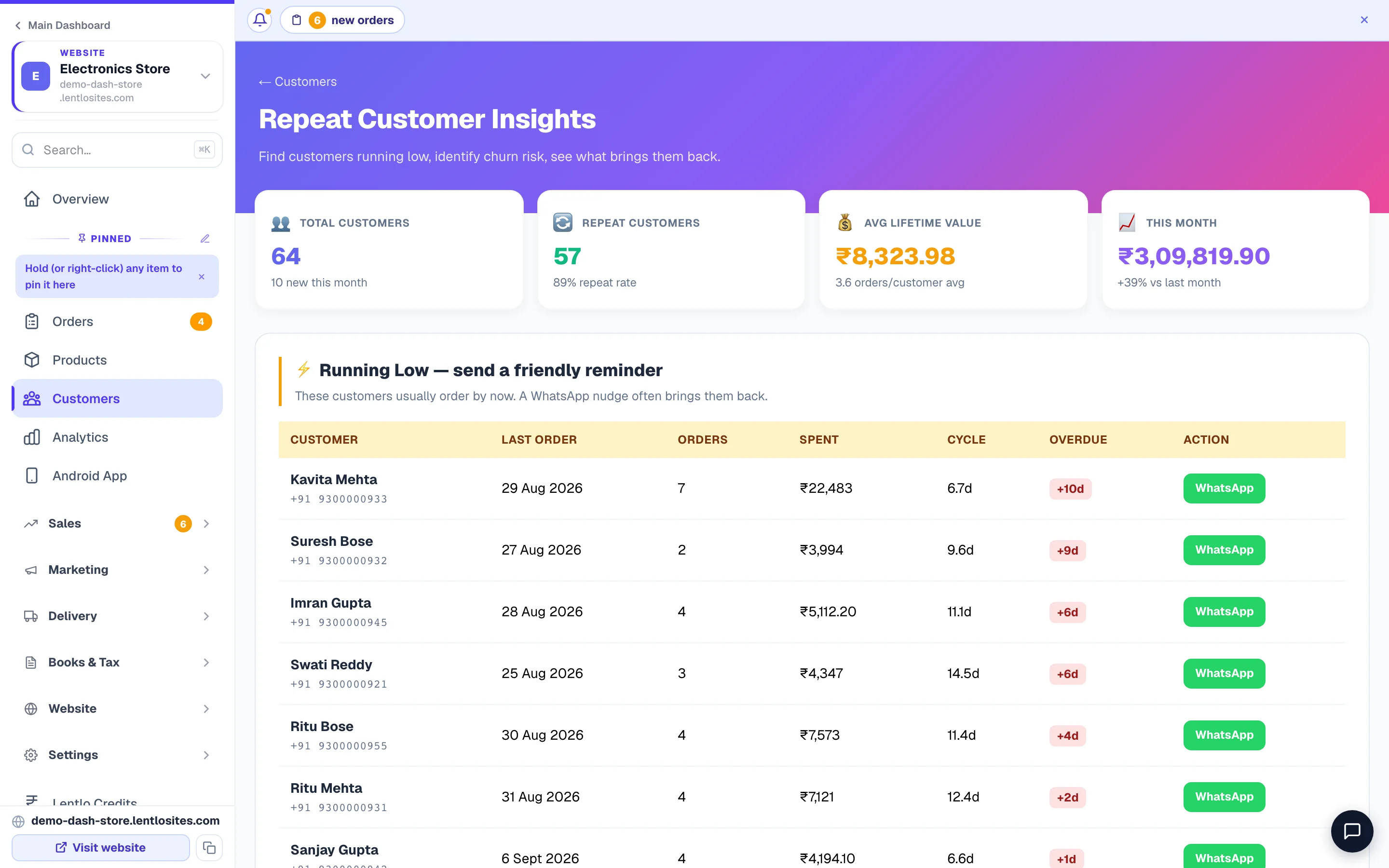
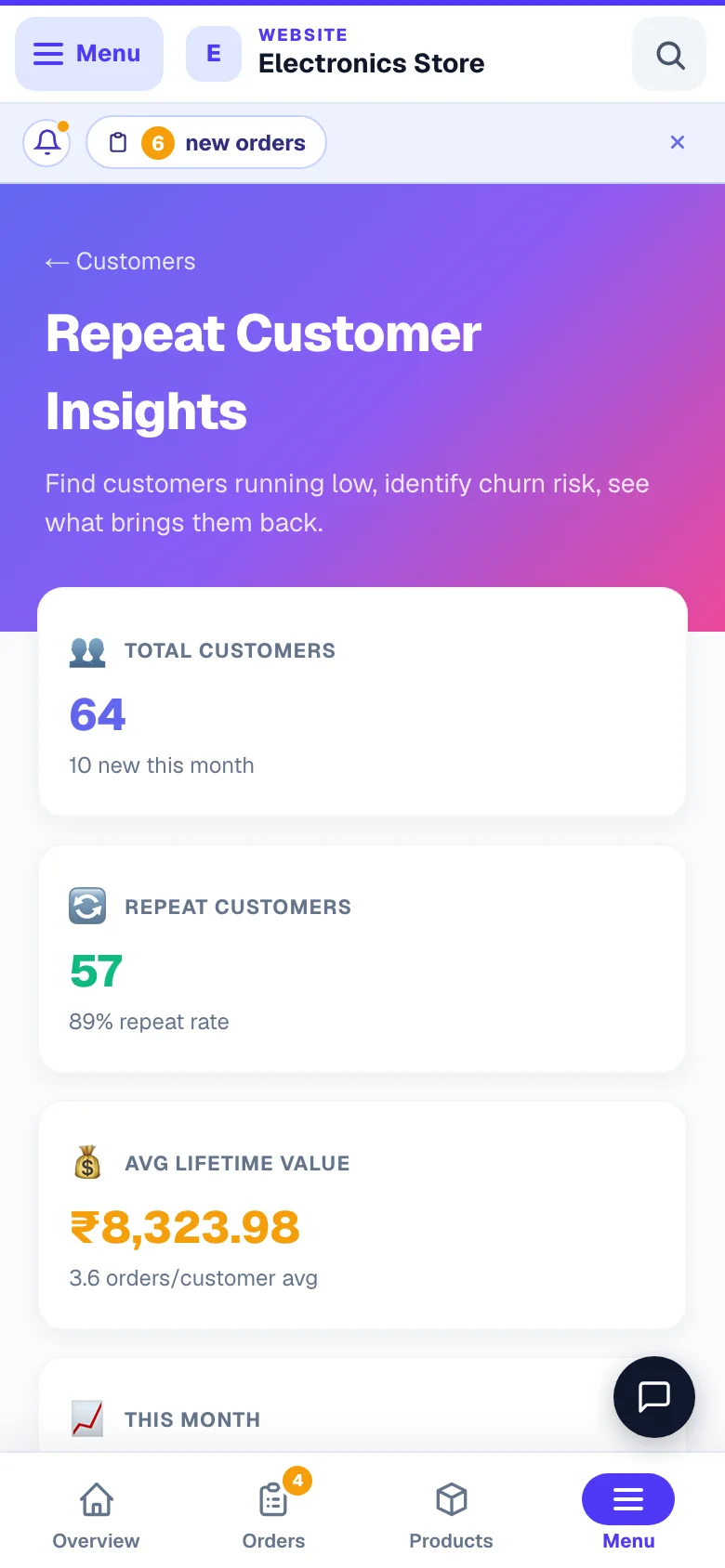
Open Customers and tap Repeat Insights at the top. The page is called Repeat Customer Insights, and it is the same data, sorted into the three lists that actually lead to a sale today:
- Running Low — send a friendly reminder. People whose re-order date has quietly slipped past. Highest hit rate of anything in the dashboard.
- Top Loyalty Drivers. Your best repeat customers. Look after these first.
- Churned Customers. Gone much longer than usual. Worth a real offer, not just a hello.
Each row shows their Cycle (their usual gap in days) and how Overdue they are, with a WhatsApp action next to it.
Getting them back — what to actually send
Start with Running Low, not everyone
These people already like you and are simply late. A short, specific message works better than a discount.
Name the thing they bought
“Hi Meena ji, your usual 5kg Sona Masoori — shall I keep one aside for tomorrow?” beats “We miss you! 10% off!” because it needs no decision, only a yes.
Save the discount for Churned
Someone six months gone needs a reason to come back. That is where a coupon earns its cost — see Discount coupons.
Send it at a sensible hour
10am–1pm or 5pm–8pm. Messages at 11pm get read and forgotten.
Why one hour a month pays
- Running Low customers this month
- 40
- Reply and order (a normal 1 in 4)
- 10
- Your average order
- ₹850
- Recovered this month
- ₹8,500
- Cost: your time, roughly an hour
- —
Handle the list responsibly
Do this
- Message people about things they actually bought from you
- Keep an easy way to say 'stop' — and honour it the first time
- Download the list only when you need it, and delete the file after
- Use pricing groups for genuine wholesale buyers
Not this
- Sell, swap or share the numbers with anyone
- Blast the entire list every week — you will be blocked
- Message at night or on repeat
- Upload the numbers to random marketing tools
These are your customers’ personal details. Treat them the way you would want a shop to treat yours — and remember that WhatsApp blocks numbers that people repeatedly report.
Common questions
A customer's name is wrong or missing. Can I fix it?
Yes — the name comes from what they typed at checkout. Open the customer and correct it, or fix it on their next order and it updates.
The same person shows twice.
They used two different phone numbers. Each number is treated as a separate customer, because that is the only thing we can match on reliably. Keep whichever one they actually reply on.
Do customers I add through a manual order count?
Yes. A WhatsApp or walk-in order you enter yourself builds the same customer record as a website order — see Create manual orders.
Can my staff see this?
Only if you allow it. Customer details are behind their own permission — see Add team members.
Can I message many customers at once?
Yes, with WhatsApp broadcasts — see WhatsApp broadcasts. Use it for real news (a new arrival, a festival offer), not weekly noise.
More in Products & orders
Did this answer your question?
It takes one tap and it genuinely changes what we write next.