
Build a professional or corporate website — group, portfolio, landing
Three different jobs: prove the company is real, show the work, or turn one ad into one enquiry. Each has its own design.
8 min readUpdated 21 Oct 2026
In this guide
Is this you?
Group or holding company · multi-brand house · distribution, trading or export firm · franchise network · trust running several institutions · corporate profile for a registered company · freelancer or studio portfolio · design, marketing or creative agency · anyone running paid ads who needs a page for the click to land on.
Pick your design
| You need | Start with | Why that one |
|---|---|---|
| A company profile for a group that owns several businesses | Keystone (preset) | Nine pages built for exactly this job: Home, About, Businesses, How we work, Partner, Verify us, Corporate information, Careers, Contact — with an ownership chart as the hero and the reference pages (Verify us, Corporate information, Careers) kept footer-only so the header stays legible. |
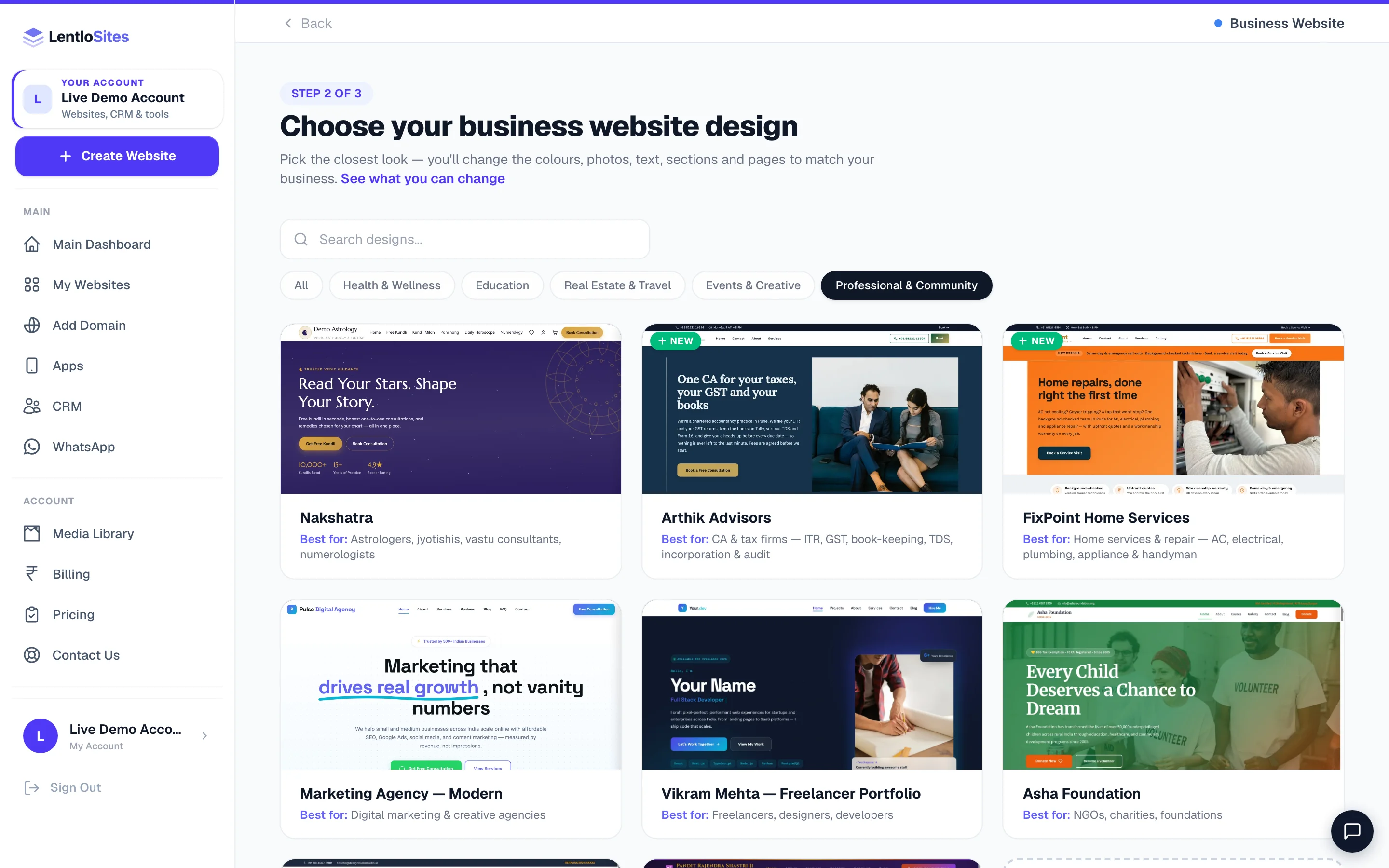
| A freelancer or studio portfolio | Vikram Mehta — Freelancer Portfolio | Project showcase with filters, pricing packages, a work-process timeline and a client marquee. |
| A marketing, design or creative agency | Marketing Agency — Modern | Services grid, a four-step process, an industries-served block, testimonials that quote results, and a contact form with a service picker. |
| Digital marketing, SEO, ads or web agency | Signboard Agency (preset) | Bold poster look on yellow and black: a sample monthly report beside the headline, services with prices, client results with their numbers, a rate card, and a Contact page whose form asks for a free 30-minute audit. |
| Branding, content or design studio | Neel Studio (preset) | Elegant serif look on indigo and marigold with arch-topped photos: what the studio makes, client work, fixed quotes, and a Contact page whose form asks for a free discovery call. |
| Architecture, interiors, construction | DesignBuild Studio or Griha Studio (preset) | Project portfolios with filters and a process timeline — covered fully in Build a services website. |
| One page for one ad campaign | Ignite (preset) | Two pages only — the campaign page and a Get-a-Quote page. One message, one ask, nothing to wander off into. |
| Something none of these fit | Blank canvas — all-in-one | See Start from a blank canvas. |
Keystone, the portfolio and the agency designs sit under the Business Website card (the portfolio and agency designs also appear under Portfolio). Ignite is under the Landing Page card.
Keep these ready
Your first hour, in five steps
- Company infoLegal name, address, registration
- What you own or have doneBusinesses, or projects
- ProofRegistration, clients, numbers you can defend
- One clear enquiry routeForm plus a named person
- PublishThen send it to a supplier and a client
Put the company's real identity in once
Settings → Business Info — legal name, registered address, phone, email. On a group site this is not decoration: it is half of what the page exists to prove. Keystone has a Corporate information page for the registration details that do not belong in a header.
Fill the structure or the portfolio
Group: list each business you own on the Businesses page, and let the ownership chart on the home page carry them — each one shows as a card with a monogram seal until you upload a real logo, so the page looks finished from day one. Portfolio: six to ten projects beat thirty; each with one strong image, the client, and what actually changed.
Add the proof, and nothing you cannot show
Years established, number of businesses or projects, clients you may name, certifications you hold. The designs ship sample figures precisely so you can see where your number goes — replace every one of them. A number you cannot defend is worse than no number.
Make the enquiry route obvious
One form, one phone number, one named person. On Keystone the Partner page is written for suppliers and distributors who want to work with you — a different audience from customers, and worth keeping separate. Enquiries land in your Form Inbox.
Publish, then send it to two people
A supplier and a client. Ask each one question: “could you tell what we do?” If either hesitates, your home page opens with the wrong sentence.
What these websites cost to run
There is no cart here, so nothing is charged per sale. What these sites produce is enquiries, and on the Free plan each one costs ₹5 from your credits — nothing when nobody enquires. Starter is ₹1; Pro and Growth are ₹0.
A landing page running ads for a month
- Leads the page collected
- 180
- Charged per lead on Free
- ₹5 each
- Cost for the month at that rate
- ₹900
- Or: the Landing plan, flat for a whole year
- ₹999
- Past ~200 leads a year the flat plan is the cheaper side
- —
Before you spend on ads, connect your ad tracking — otherwise the platform cannot tell you which clicks became enquiries, and you will optimise blind. See Ad tracking.
What earns a reply
Do this
- Say what the company actually does in the first sentence, in plain words
- Show registration details where a supplier can find them
- Name real clients or businesses — with permission
- Six strong projects rather than thirty screenshots
- One enquiry route, answered the same working day
Not this
- “Leading provider of innovative solutions” — it describes nobody
- Sample logos, sample clients or sample figures left in from the design
- A landing page that also tries to be an About page and a blog
- Five contact methods, none of them monitored
- Awards or certifications you cannot produce if asked
Example · A trading group in Surat
They ran four businesses under one name and kept losing supplier trust to “are you actually registered?” questions. The group site now opens with the ownership chart, carries the registration details on their own page, and has a Partner page written for suppliers. The first month brought eleven supplier enquiries — and, unexpectedly, two customers who had been unable to tell which storefronts were genuinely theirs.
After you are live
| You want to… | Read |
|---|---|
| Work the enquiries properly | Form inbox · Contacts & leads |
| Run a one-page ad campaign | Landing pages |
| Count what your ads actually brought | Ad tracking |
| Rebuild any page from blocks | Sections & layout · Header, footer & site-wide blocks |
| Publish notices and articles | Publishing posts |
| Raise quotations and invoices | Quotations · Billing in the CRM |
| Use your own .com | Connect your domain |
Common questions
We are a group with five businesses. One website or five?
Start with one group site that proves the company and lists what you own. Businesses that sell to customers directly — a shop, a restaurant, a rental fleet — earn their own website when they need a cart or a desk of their own. All of them live on the same account.
Can a portfolio take payments?
Yes, though most do not need to. For custom work the better fit is a quotation, then a bill from your CRM sent on WhatsApp with a UPI button, a QR and, if you like, a payment link — see Billing in the CRM. That works on every design. If you want a real cart for productised services, build on Keystone or the blank canvas, where Settings → Appearance → What this website does carries the Sell products online switch; the two fixed portfolio designs have no shop to switch on.
Should my landing page be my homepage?
No. A landing page works because it has exactly one message and one ask. Keep it as its own page, point the ad at it, and let your main website do the wider job.
Do I need to show our CIN and GSTIN?
You are not obliged to put every registration number on a web page, but on a group or B2B site it is the cheapest trust you can buy — a supplier checking whether you are real will look for it. Keystone gives it a page of its own so it never crowds the rest.
Can I add a careers page?
Keystone ships one, footer-only so it does not crowd the header. On any other design add a page and drop a careers block into it — see Sections & layout.
More in For your kind of business
Did this answer your question?
It takes one tap and it genuinely changes what we write next.