
QR codes for your shop & products
A scannable square for your whole site, one page or a single product — sized right for cards, flyers and shelf labels.
3 min readUpdated 14 Sep 2026
In this guide
What to point a QR at
Making one
Open QR Codes
Marketing → QR Codes in your sidebar.
Choose what it opens
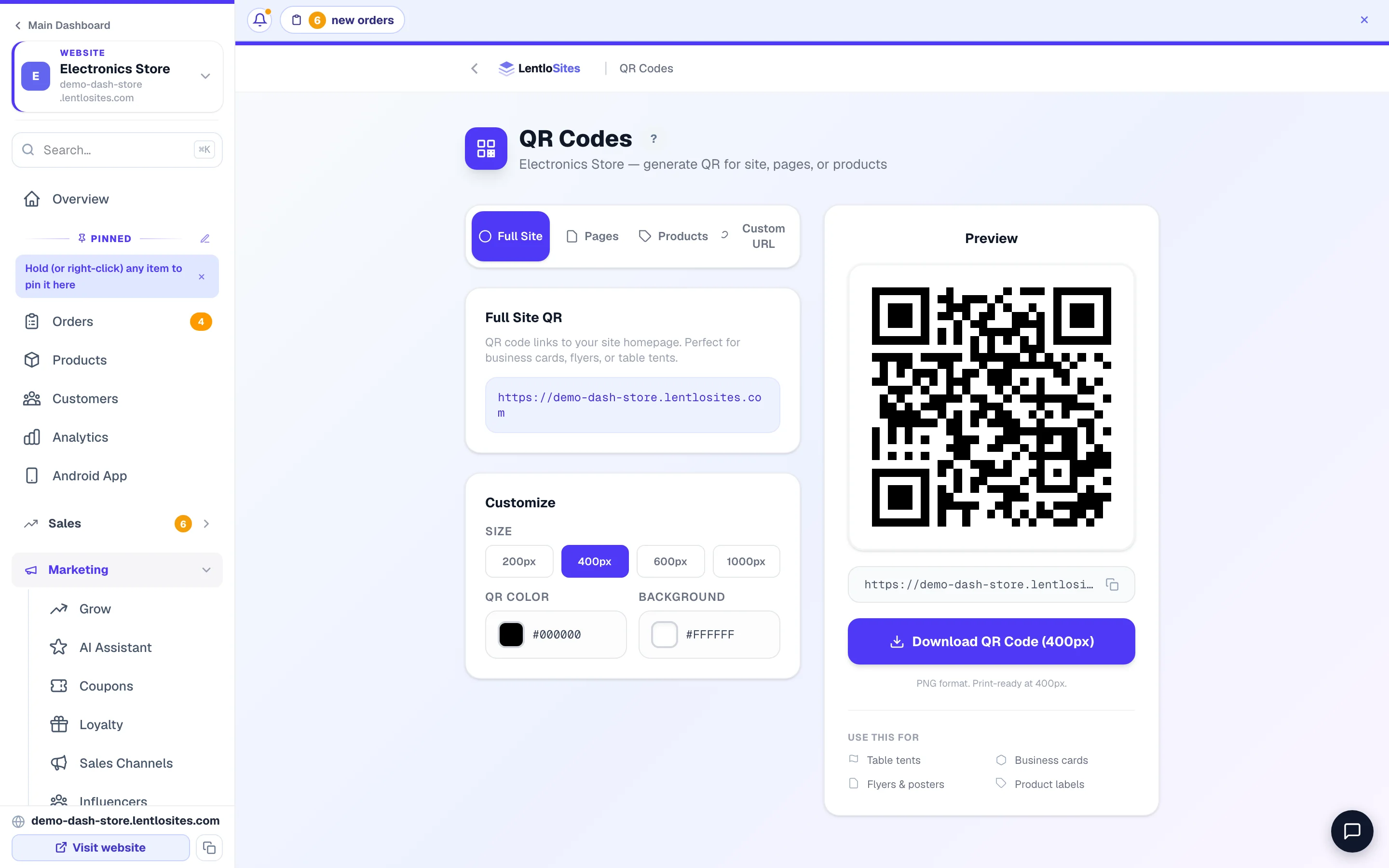
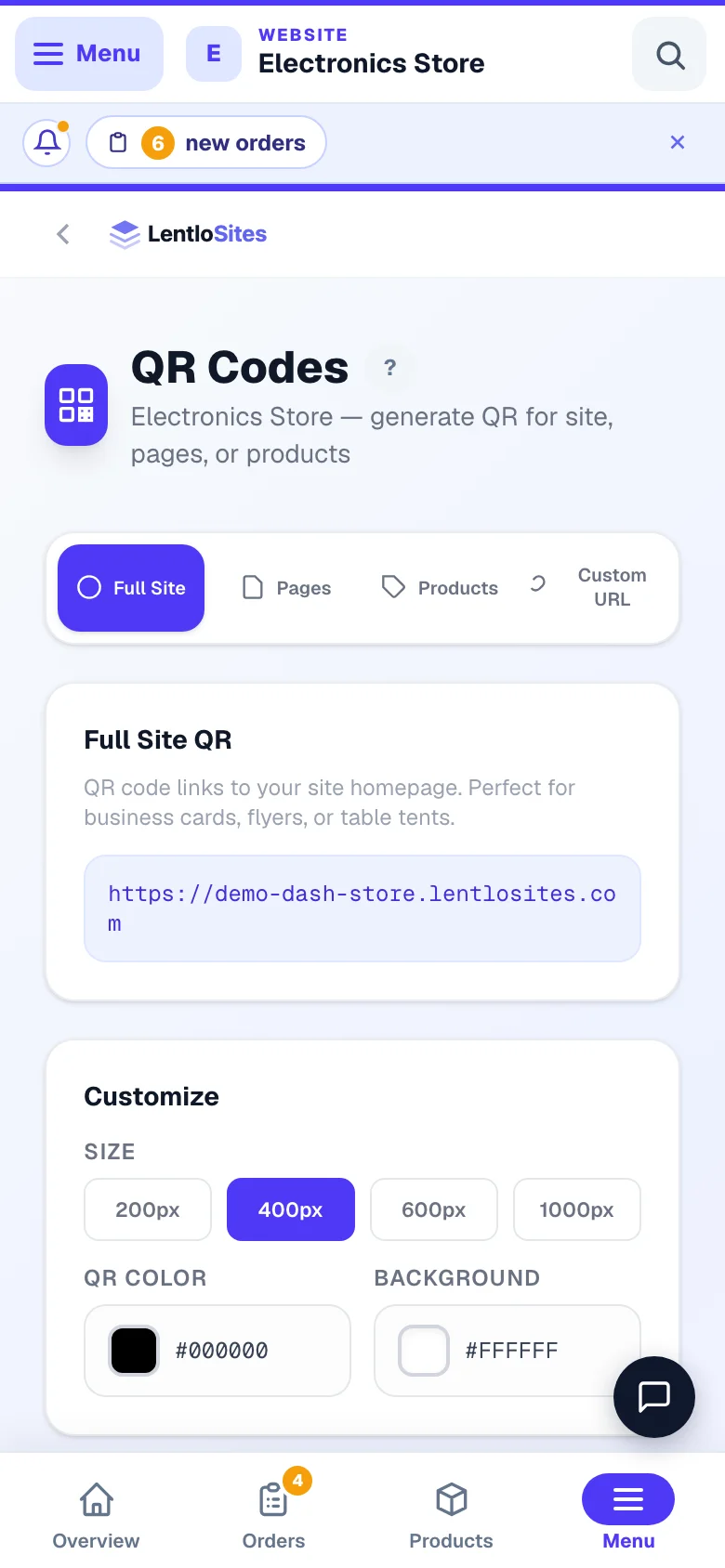
Four tabs across the top: Full Site, Pages, Products and Custom URL (the Products tab appears once you have products). Pick a page or a product from the list and the preview on the right updates as you choose.
Customize it (optional)
In the Customize box, set QR Color and Background to match your brand. Keep the contrast strong — a pale code on a pale background will not scan.
Pick a size and download
Four size buttons — 200px for WhatsApp, 400px for a website, 600px for a slide and 1000px for anything printed. Then Download QR Code; the file is a PNG named after your site, what it opens and the size. A “Use this for” list beside the button reminds you what each size suits — table tents, business cards, flyers & posters, product labels.
- 1What it opensYour whole site, one page, one product, or any address.
Always print at 1000px. A 200px code blown up to A4 turns into a blurry grid that phones refuse to read — the single most common QR mistake.
Where to actually put them
Example · Anil, a sweet shop in Jaipur
He printed one A5 card — “Order online, we deliver in 40 minutes” with a QR — and stuck it on the counter glass and the shutter. Customers waiting to pay scan it out of boredom. It now brings him more first-time online orders than his Instagram page.
- Shop shutter or entrance — works even when you are closed.
- The billing counter — people are standing still and holding their phone.
- Inside the delivery parcel — a card with a re-order QR.
- Your visiting card — a QR beats a typed web address every time.
- Product shelf labels — Product QR opens the page with photos and reviews.
- Restaurant tables — for dine-in ordering, use the table QRs instead (see Restaurant mode), which know which table it is.
Do this
- Write one line telling people WHY to scan — a bare QR gets ignored
- Test the printed sheet with two different phones before bulk printing
- Leave clear white space around the code
- Put it at chest height, not on the floor or above the door
Not this
- Print a small download blown up big
- Put the QR behind glare-heavy glass or a curved bottle
- Use a light colour on a light background
- Cover part of the code with a logo
Common questions
Does the QR stop working if I change my design?
No. It points at your web address, not the design. It keeps working as long as that address exists.
I connected my own domain. Do I reprint?
Old codes still work — your free address redirects to your new domain. Generate fresh ones for new printing so the address shown is your own.
Can I see how many people scanned it?
Which format do I get?
A PNG image. Any printer, WhatsApp or design app will take it.
More in Customers & marketing
Did this answer your question?
It takes one tap and it genuinely changes what we write next.