
FAQ page — answer the same questions once
Turn the twelve questions you type on WhatsApp every week into a page — Google shows the answers too.
3 min readUpdated 14 Sep 2026
In this guide
Why bother
Two reasons, and the second one surprises most owners.
- Fewer repeat messages.“Delivery kitne din?” and “COD hai?” are 80% of pre-sale chat. Answer them once on the page and link it.
- Google shows the answers.Your questions and answers are marked up in a way Google reads, so they can appear directly in search results — with your shop’s name attached.
Example · Faiz, a mobile accessories shop in Bhopal
He counted his WhatsApp for a week: 31 of 44 first messages were one of four questions. He wrote those four as his FAQ, pinned the link in his WhatsApp Business greeting, and his chats now start at “is this available in black?” — a question that actually leads to a sale.
Writing it
Open the FAQ page
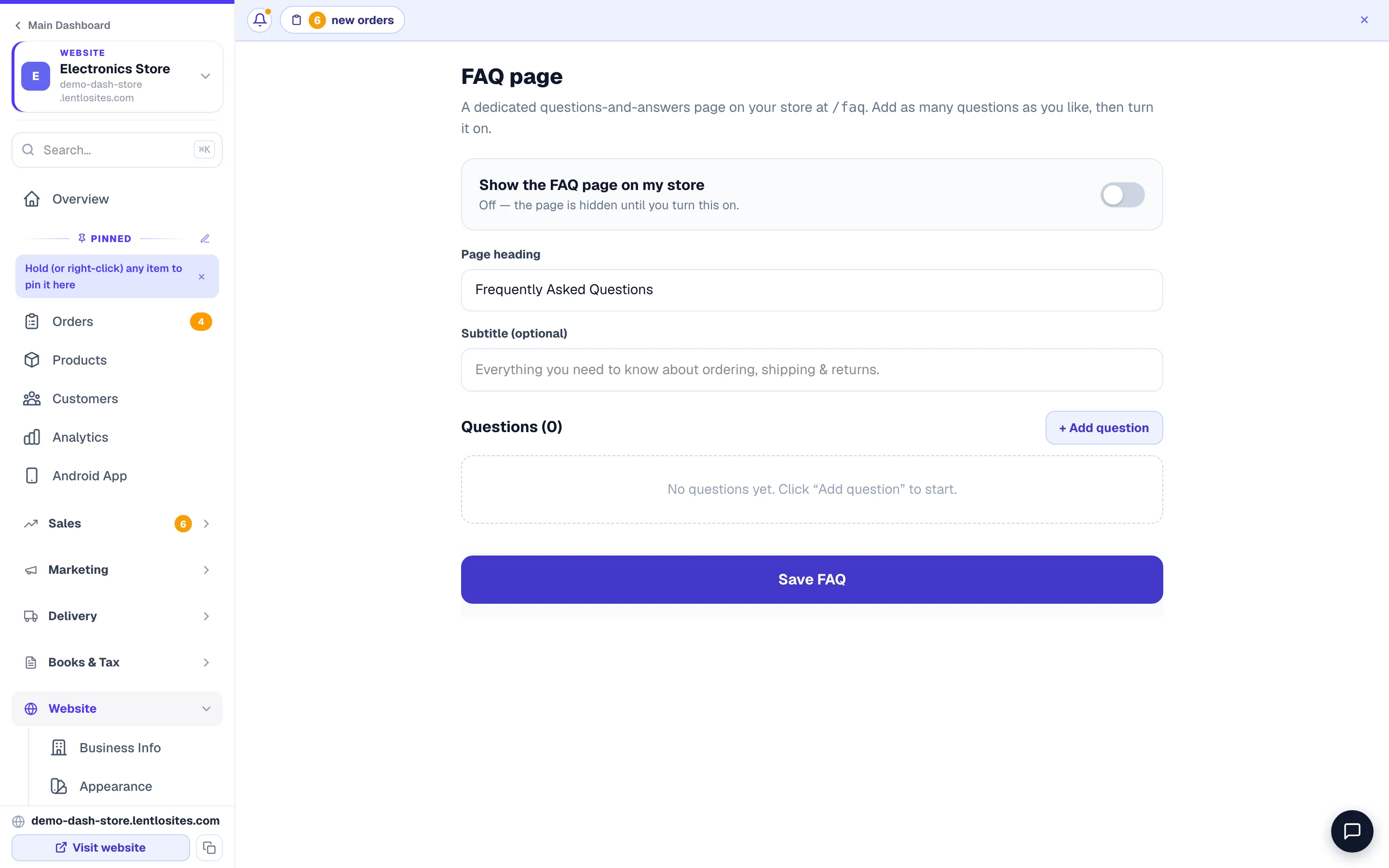
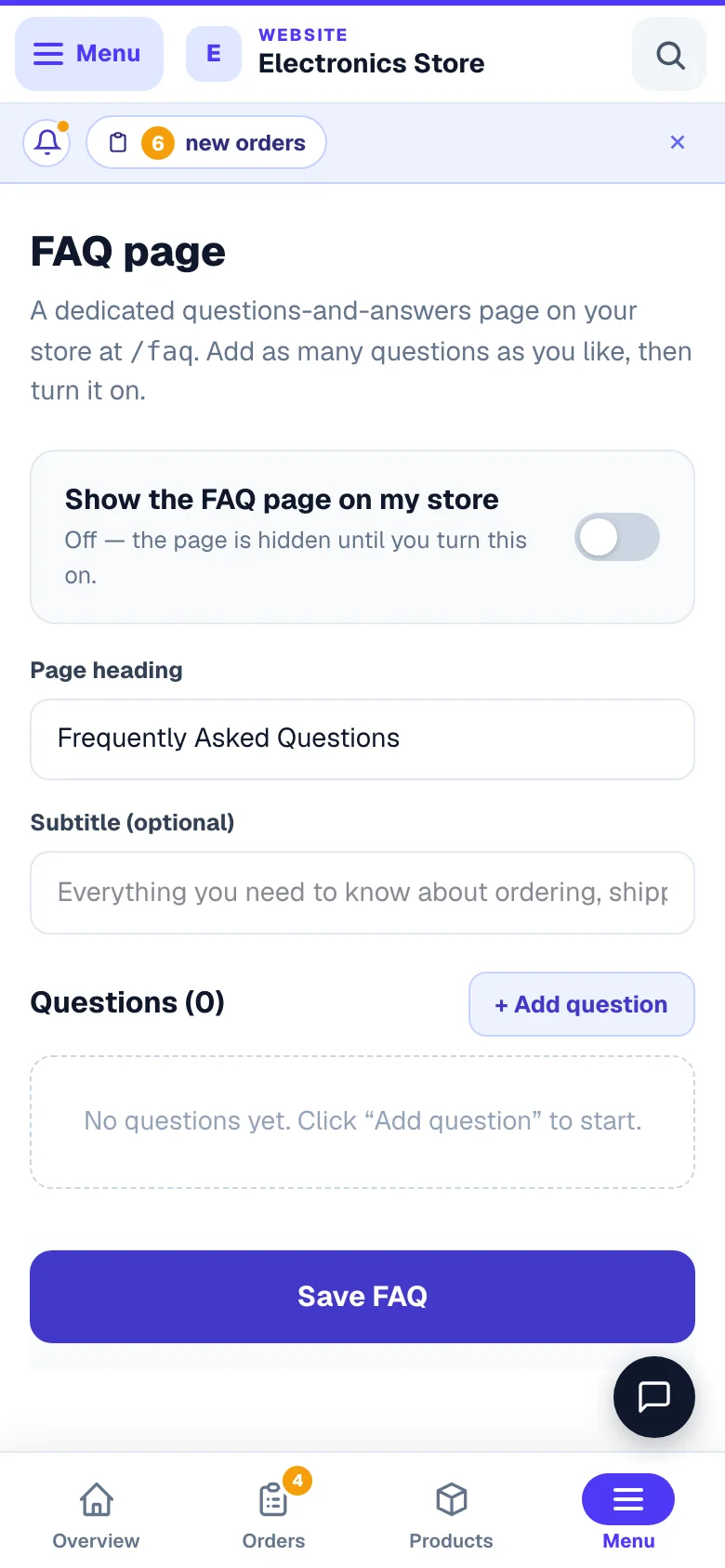
In that website's menu, under Website, open FAQ Page (it is also a tile on the Manage page). Turn on Show the FAQ page on my store — the line under the switch then shows the exact address your page will have.
Set the heading
Page heading and an optional Subtitle. Plain is fine — “Questions we get asked” reads better than “Frequently Asked Questions”.
Add each question
Press + Add question. Type the question the way a customer would say it, then answer in one or two sentences. Repeat for eight to twelve. Each one is numbered (Q1, Q2…) with ↑ and ↓ to move it and ✕ to remove it — the order here is the order customers read.
Or tell Asha in the dashboard chat: “add to my FAQ page: do you deliver on Sundays? yes we do”. She shows a card first; after you confirm, the question appears at the end of this list without a reload, and anything you had typed here and not saved yet stays. She never switches the page on unless you ask her to.
Save
Press Save FAQ. If the page was changed somewhere else while you had it open (another phone, another tab, or Asha), Save says Not saved yet, adds the newer questions to your screen and keeps everything you typed — press Save again. Your website rebuilds itself straight away and the page is live at yoursite.com/faqa few seconds later — that is what the “after publishing” wording on screen means; there is no separate button to press.
Add the menu link yourself. The page exists at /faq as soon as you save, but it does not add itself to your menu. Open Header & Footer, press Add link… on the header or footer list, choose External and type /faq. (If your design already ships its own FAQ page, that one is in your page list and is already in the menu.)
- 1Add oneUse the words your customers actually type.
What to actually put in it
Steal from your own chat history. These twelve cover almost every Indian shop:
Do this
- Use the customer's words: 'Kitne din lagenge?' becomes 'How many days for delivery?'
- Give real numbers — '2–4 days in Maharashtra, 5–7 elsewhere'
- Update it when your policy changes
- Link it from your WhatsApp greeting message
Not this
- Copy someone else's FAQ — the answers will be wrong for you
- Write 'Please contact us for details' — that defeats the page
- Add twenty questions nobody asked
- Promise a delivery time you cannot keep
Turning it off
Switch off Show the FAQ page on my store and the page comes off your website on the next rebuild (a few seconds). Your questions stay saved, so you can switch it back on any time — remember to remove the menu link you added, or it will point at a page that no longer exists.
An empty FAQ page is worse than none. If you only have three real questions, write those three — or leave the page off until you have some.
Common questions
Where does the page appear?
At yoursite.com/faq. Add the link to your header, footer or phone menu yourself from Header & Footer — that is also where you rename or move it.
I cannot find FAQ Page in my menu.
This page is for store websites. On other kinds of website, add a normal page called FAQ in the editor instead — the questions read the same to a customer.
Do I have to publish after editing?
No. Saving rebuilds your site by itself — give it a few seconds, then refresh the page in your browser.
Can I add a photo or a link in an answer?
Answers are plain text, on purpose — short and readable on a phone. Put the link in words instead (“see our Delivery page”) or write the address out.
Does this replace the contact form?
No — it reduces the easy questions so the ones that reach you are worth answering. Keep both.
More in Your website
Did this answer your question?
It takes one tap and it genuinely changes what we write next.