
Search insights — what customers looked for
Every word typed into your search box, especially the ones that found nothing — the most honest page you own.
5 min readUpdated 14 Sep 2026
In this guide
The most honest page in your dashboard
Analytics tells you how many people came. Search Insights tells you what they wanted — in their own words. Someone who types a word into your search box has already decided to buy something; they are just looking for it.
Example · Deepak, a hardware shop in Nagpur
His top empty search was “drill machine” — 34 times in a month. He sells drills; he had listed them as “rotary hammer”. One spelling rule later, those 34 searches land on his ₹4,200 drill. Nothing was wrong with his shop except the word.
Reading the list
Open Search Insights from your sidebar.
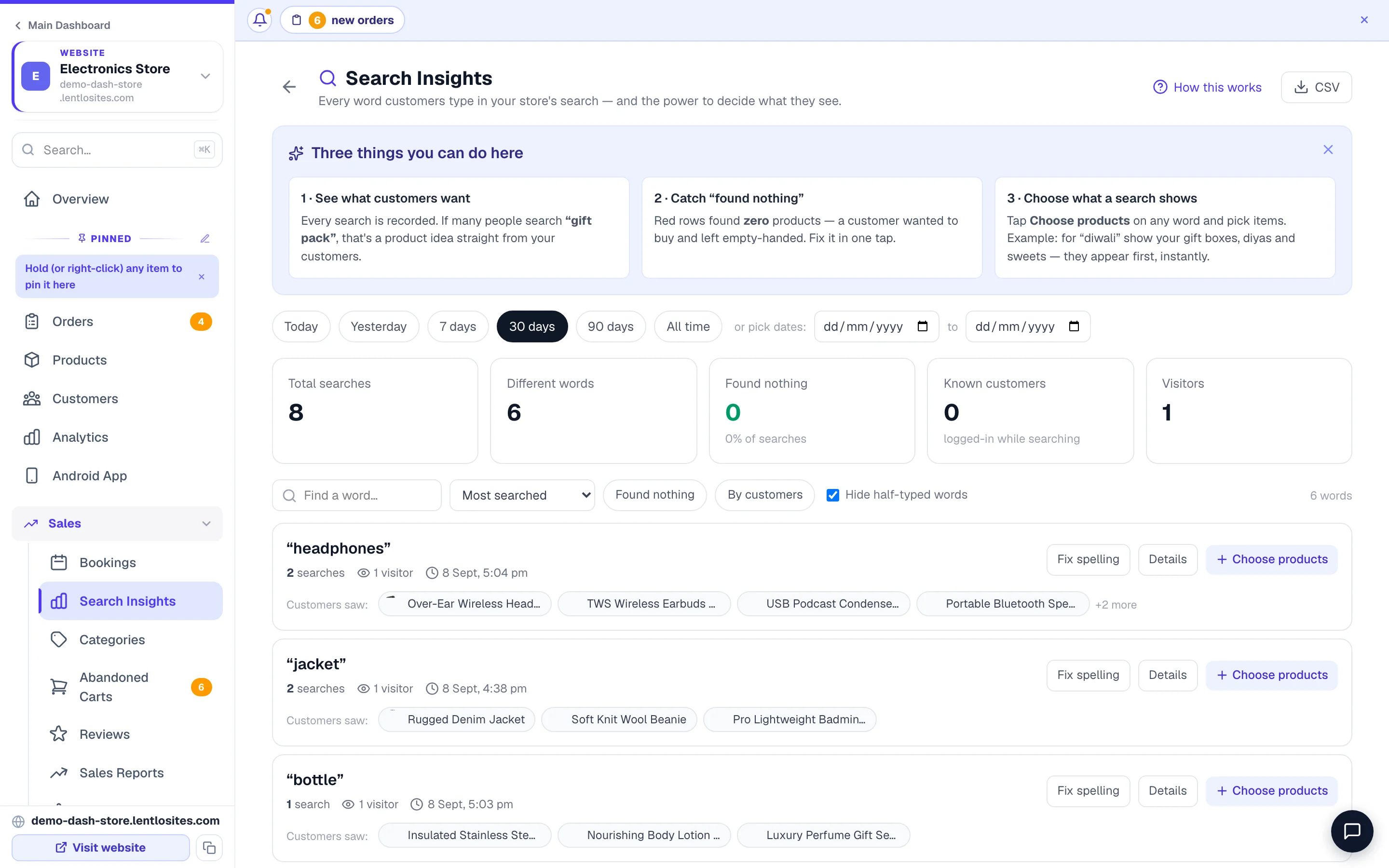
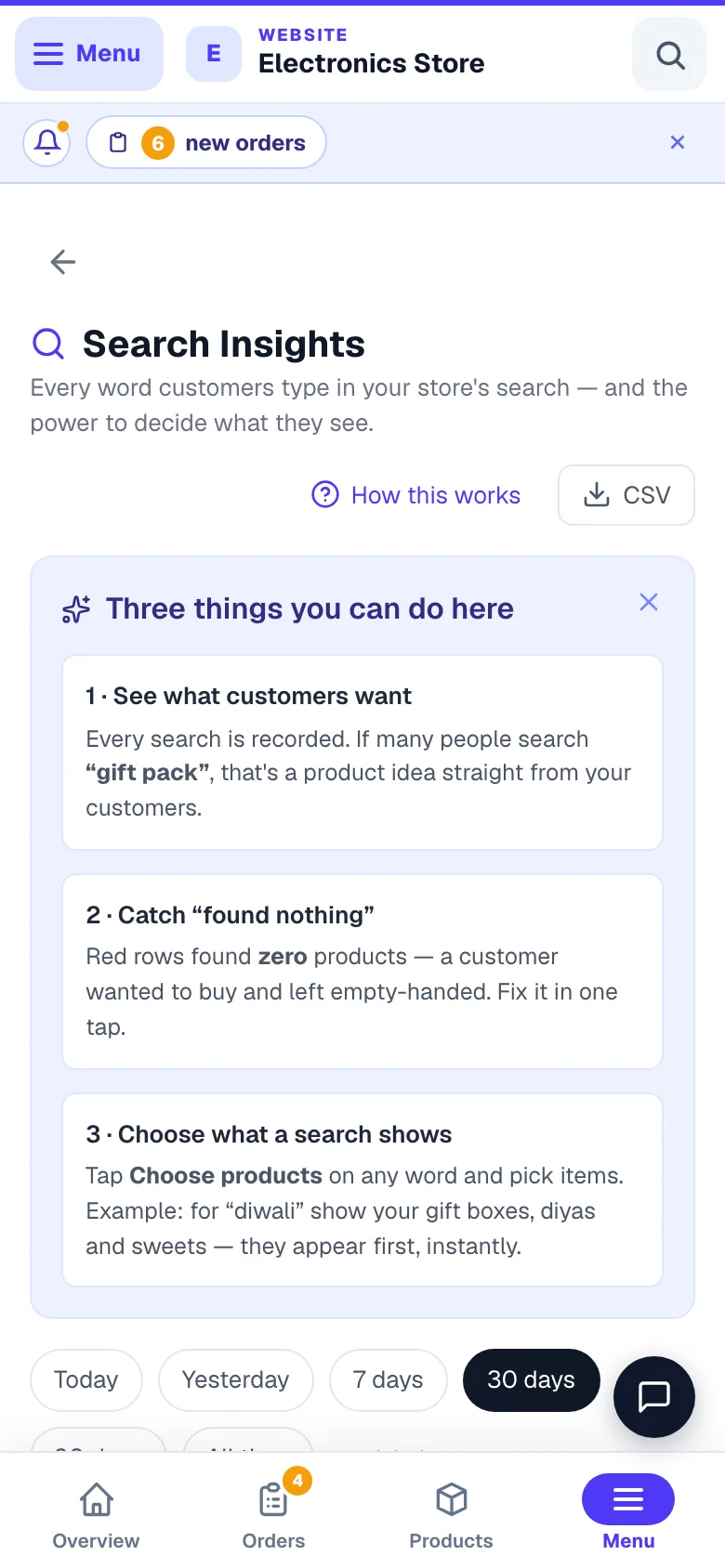
- 1What they typedEvery word customers put into your search box.
- 2The goldSearches that returned nothing are real demand you are not meeting.
- Most searched — your customers’ own vocabulary. Use these exact words in your product names.
- Found nothing — the list to act on. Red rows.
- By customers — searches from people who signed in, so you can see who wanted what.
- Searches per day — whether people use search at all on your site.
Switch the period with Today / 7 days / 30 days / All time. Hide half-typed words removes the noise of people mid-typing.
Every empty search has one of three causes
- Open 'Found nothing'Sorted by how often
- Ask which of the threeSpelling, wording, or stock
- Fix it onceA rule, or a product edit
- Every future search landsIncluding the misspelt ones
Fixing a spelling
Find the red row
In Found nothing, pick the word people typed — say “chapal”.
Press Fix spelling
Enter what it should mean — “chappal”. From now on, both spellings find the same products.
Indian shoppers search in Hinglish and in several spellings of the same word. Your site already understands hundreds of common ones (kurti, chappal, mobile cover) — spelling rules are for the words specific to your trade.
Pointing a word at specific products
Sometimes nothing is misspelt — the customer’s word simply is not in your product name. “gift” finds nothing even though half your shop would make a fine gift.
Press Choose products on that search
Pick the products that word should bring up.
Save
Anyone searching that word now sees exactly those products, in the order you chose.
This is also how you push a seasonal set: point “rakhi” or “diwali” at your festival range for a few weeks, then remove the rule.
When you genuinely don’t sell it
This is the most valuable case and the one owners ignore. Forty people a month searching for something you do not stock is a free market survey — with a number attached.
Before you order stock on a hunch, open this page. “Nobody asks for it” and “22 people asked last month” are very different decisions.
Common questions
My list is empty.
Either your site is new, or customers are not finding your search box. Make sure the search icon shows in your header — see Header & Footer.
Does this include Google searches?
No — this is only your own site’s search box. For what people typed into Google before landing on you, see the Google tab on the Grow page.
Can I download the list?
Yes, the CSV button exports the current period.
Do spelling fixes work on the whole site or only search?
Only the search box. Category pages and menus are unaffected.
More in Customers & marketing
Did this answer your question?
It takes one tap and it genuinely changes what we write next.